On BadmintonPeople.com you have your own calendar. The calendar automatically shows all relevant events/activities, created by your club and where you have received an invitation.
Furthermore, you have free hands to add additional information into your calendar, e.g. your own events (which you can invite others to). This way you have your own complete calendar on BadmintonPeople.com.
You'll find "My Calendar" in the menu on the left, at the bottom:
The calendar looks like this:
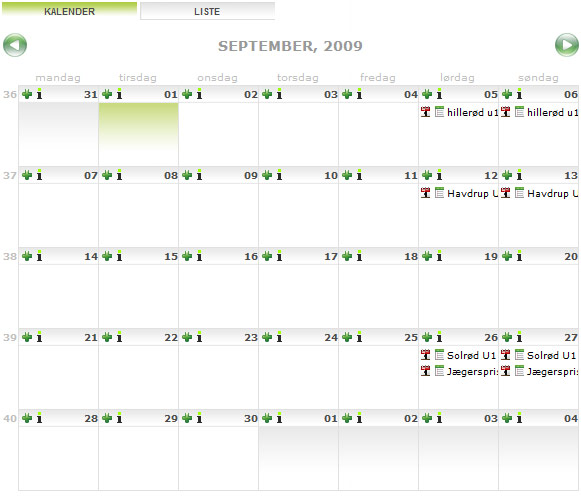
• Mouse over the title to see the full title of the event.
• Click the icon "

" or the title itself to register.
• Click the icon "

" to see who has already registred.
• Click the tab "List" to see events as a list overview, rather than the calendar overview.
• Click the icon "

" to create a new event.
• Click the icon "

" to add information to the calendar.